
Getting Started #
Before you start, please make sure the option Enable coupons from WooCommerce > Settings > General is enabled.
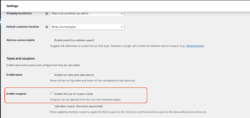
#
Installation Guide #
Step 1:
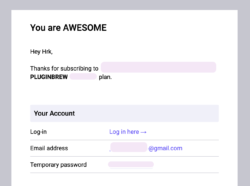
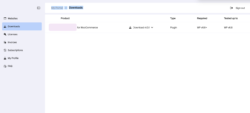
After purchasing the plugin, login to the PluginBrew Customer Portal and go to the Downloads section from the dashboard. You will also receive the Customer Portal link in your registered email under the Your Account section after completing the purchase.
Step 2:
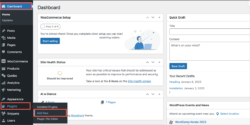
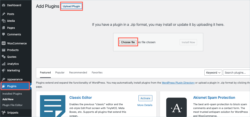
After downloading the ZIP file, navigate to Dashboard > Plugins in WordPress and click on Add New.
Step 3:
In the window that appears, Click on Choose file to browse the plugin ZIP file.
Step 4:
Once the plugin is installed and activated, open the Customer Portal, navigate to the Licenses section, and copy the API license key. Paste this key into the License tab within the plugin settings to activate and use the plugin.


